Monday, 8:40 AM
The owner of a small design studio opens her phone and finds three messages from friends. The first: "Have you seen Meta's Muse? It shops, fills in forms, does everything." The second: "Forget Muse, OpenAI just released dots. An agent that works for you all the time." And the third: "You're both late. I've had Grok Bot since August, and I have three bots working for me."
Three agents, three giant companies, and less than two months between the first and the last. They all promise almost the same thing. And she asks what everyone is asking this week: how are they really different, and which one fits my business?
The short answer: they do similar things, but they live in very different places.
Muse, dots or Grok Bot? This is the comparison everyone is searching for right now. Muse is Meta's personal agent. dots are OpenAI's standing agents inside ChatGPT. Grok Bot is a team of standing agents from SpaceXAI, the company that until recently was called xAI. All three work on their own computer in the cloud, connect to apps, and stop for approval before sensitive actions. We checked every figure against the three companies' official sources, and we clearly marked what hasn't been announced yet.
Full disclosure before we start: Platin Digital is an OpenAI Select Partner. Because of that, we took extra care to be fair to Meta and SpaceXAI, and every assessment of ours is marked as such.
In short
- Muse (Meta) is a personal agent in a separate app and in WhatsApp, running on Muse Spark inside a dedicated virtual machine, with a gatekeeper called Sentinel. It has a free tier, and it is available only in the US and Canada.
- dots (OpenAI) are standing agents inside ChatGPT, running on GPT-6 Astra on their own cloud computer. You talk to them in ChatGPT, Slack and Teams. They are included only in paid plans, starting at $100 a month.
- Grok Bot (SpaceXAI, formerly xAI) is a team of standing bots that share one cloud computer, log in to sites with your credentials and can learn a process from a demonstration. It launched first, on August 11, and is included in Cursor plans starting at $20 a month.
- The bottom line: Muse is not yet available in Israel. dots are rolling out gradually here too, and no country list has been published for Grok Bot. None of the three comes with a ready-made WordPress connection, and only Grok Bot has an official demo of working in Google Ads.
Home, office and workshop: the difference in one sentence
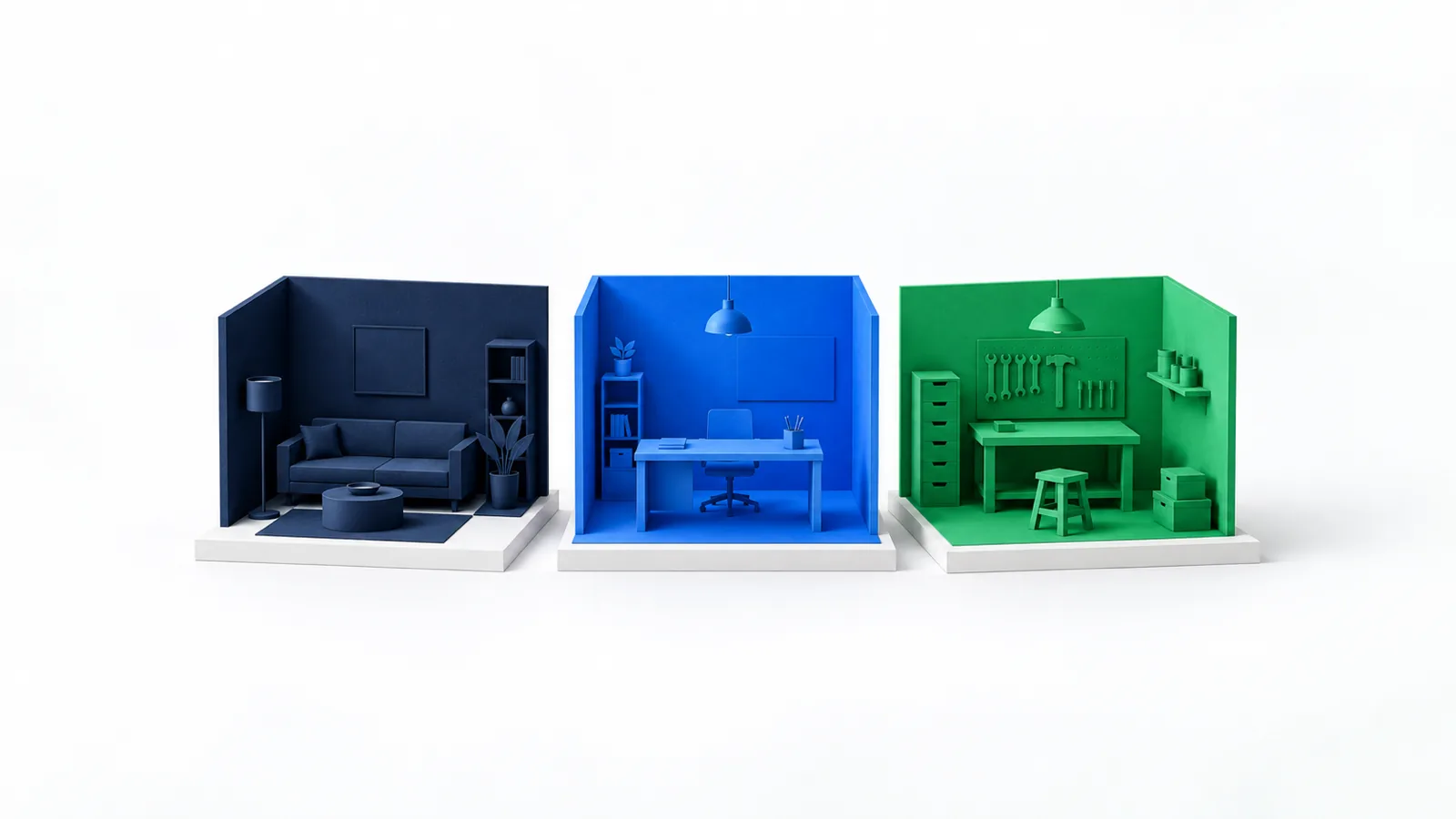
Muse was born at home. dots were born in the office. Grok Bot was born in the workshop. That's the image to remember, and it explains almost every difference below.
Muse is a personal assistant that lives in Meta's home. It buys, books, turns a recipe video into a shopping list, and soon it will also arrive on glasses and a pocket device. Its business version sits exactly where small businesses already are: on the Facebook Page, the Instagram account and the ad account.
A dot is a colleague who sits in ChatGPT's office. You tag it in a Slack thread, send it a message in Teams, and it picks a project up where it left off. Its tools are work tools: email, files, code and shared documents.
Grok Bot is a team of apprentices in a workshop. Several bots, each with a role, all working at the same bench: one cloud computer, with the same files and the same logins. Like an apprentice, you can show it once how to do something, and it saves that as a routine. And like in a workshop, what's on the bench is available to everyone working on it. We'll come back to this when we talk about security.
Meta Muse · The home
- App, WhatsApp, website and Mac
- Model: Muse Spark
- Muse Secure VM, with Sentinel as gatekeeper
- Strong in shopping and Meta's tools
- Free tier, available in the US and Canada
OpenAI dots · The office
- Inside ChatGPT, and also in Slack and Teams
- Model: GPT-6 Astra
- A private cloud computer and browser for each dot
- Strong in work tools and per-action rules
- Paid only, rolling out gradually beyond the US
Grok Bot · The workshop
- Desktop and mobile app, on all the major operating systems
- Model: not fixed, Cursor chooses
- One cloud computer shared by all the bots
- Strong in several bots at once and learning from a demo
- Included in Cursor plans from $20, or via a linked SuperGrok subscription
What is Grok Bot, and why does it say SpaceXAI?
Grok Bot is an agent from the company that developed Grok. Its name has changed, and its infrastructure runs through Cursor. That's confusing, so here is the sequence.
xAI, Elon Musk's AI company, was acquired by SpaceX in February 2026. According to Engadget, in July it officially changed its name to SpaceXAI. On August 14, Cursor, the company behind the code editor, also announced that it is part of SpaceX.
That's why Grok Bot carries the Grok name and is presented on x.ai, but you sign in with a Cursor account. According to the documentation, the computers the bots work on run in Cursor's cloud, and Cursor also chooses the model. There is no model picker, and the model serving each request can change. We gathered all the details, including how you teach it a task by recording your screen, in the complete guide to Grok Bot.
SpaceXAI announced Grok Bot on August 11, 2026, in beta, and described it as "AI teammates." According to the announcement, it started as an internal prototype and spread within the company for sales, marketing, operations and bug fixing. VentureBeat wrote on launch day that it turns agents into persistent digital coworkers.
Three things set it apart:
- A team, not a single agent. You create several bots, each with a name and a role. They hand work to each other and work together in a group chat.
- One shared computer. All your bots work on the same cloud computer, with a browser, files and a terminal, and they keep going even when your computer is closed.
- Teaching by demonstration. With the Teach a task feature you record a process in the browser, up to ten minutes, and the bot turns it into a draft skill that you can review and schedule. According to the documentation, the feature is rolling out gradually and works only on desktop, not on mobile.
Muse vs dots vs Grok Bot: the full comparison table
If you don't have time to read everything, this table is the article. Every row was checked against an official source. What comes from a media report is marked as such, and what hasn't been announced is stated explicitly.
| Meta Muse | OpenAI dots | Grok Bot | |
|---|---|---|---|
| Company | Meta | OpenAI | SpaceXAI (formerly xAI), with Cursor, which it owns |
| What it is | A personal AI agent in a separate app that carries out tasks | A standing agent inside ChatGPT that keeps working between conversations | A team of standing agents in a separate app. Each bot has its own name, role and memory |
| Launched | September 8, 2026 | September 29, 2026, at DevDay | August 11, 2026, in beta |
| Model | Muse Spark | GPT-6 Astra | No fixed model. Cursor chooses the model, and there is no model picker |
| Where it works | Muse Secure VM: a dedicated virtual machine for each user | A dedicated cloud computer for each dot, with a private browser separate from your own | One cloud computer per user, shared by all of their bots, with a browser, files and a terminal. The computers run in the US |
| Gatekeeper | Sentinel, a separate agent on the same machine. According to Meta, nothing goes out to the internet without its approval | An automatic check of every action against the instructions, permissions, rules and safety requirements | Auto Review: a separate reviewer model that examines actions before they run, and can approve, stop for your approval, or block |
| Approvals | Asks for approval before sensitive actions, such as email or a purchase. You set how much access each app gets | Custom Rules with four options for each type of action. Some actions always come back to you | For each pending action: Allow once, Always allow or Deny. Ask first and Allow automatically rules, and when they conflict, Ask first wins |
| Background work | Keeps working after you close the app, and offers suggestions on its own initiative | Proactive read-only research, scheduled tasks and event-triggered responses | Keeps going when your computer is closed. Routines on a schedule or after an event, such as a Slack message |
| Learning from a demo | Not announced | Not announced | Teach a task: a recording of up to ten minutes in the browser becomes a draft skill. Rolling out gradually |
| How you talk to it | iOS, Android, WhatsApp, muse.ai, Mac, Realtime Voice and Realtime Avatar | ChatGPT on desktop, voice and Slack. Microsoft Teams: an invite-only alpha, per OpenAI's admin guide. Mobile gradually. Text messages: coming soon | An app for macOS, Windows and Linux, iPhone, iPad and Android, plus voice. A Team Bot can also be added to Slack |
| Control of your computer | Muse for Mac runs any app on the Mac, with your permission | One personal computer at a time, while the ChatGPT app is open | Can run commands on your Mac or Windows machine only if you allow it. Default: ask every time |
| Connections | Built-in connectors, shopping partners and custom connectors | The plugins installed in your ChatGPT account, such as Gmail, Google Drive and GitHub. More than 4,000 apps, per MacRumors and BGR | Plugins from the Marketplace, such as Gmail, Google Calendar and Google Drive. On sites without a connection, it works in the browser with your login |
| Privacy | Doesn't see passwords or payment methods. Doesn't share data with Meta's advertising systems. You can ask that conversations not be used for training | Site logins happen in a private form outside the conversation. Per OpenAI, the models are not trained directly on a dot's proactive research and private notes | You type passwords and codes yourself, when you take over the computer. Training and privacy settings follow your Cursor account. All the bots see the same files and logins |
| Price | Free with a limit. Power at $20 and Max at $100 a month | Included in Pro 100, Pro 200 and Pro 500, Business Premium and Enterprise. One dot included. Price of additional dots: not announced | Included in Cursor Pro at $20, Pro+ at $60 and Ultra at $200, and in Cursor Teams. Or via a linked SuperGrok or X Premium+ subscription. There is a free trial |
| Availability | US and Canada | Pro: ages 18 and up, outside the European Economic Area, the UK and Switzerland. Business Premium and Enterprise: rolling out worldwide | Country list not announced. Access is set by subscription. Enterprise: rolling out |
| In Israel | Not available. Date: not announced | Israel is not on the list of excluded regions. Rollout is gradual, check your account | Not announced. We found no restriction mentioning Israel, and no confirmation either |
| Hebrew | Not announced | Not announced for dots | Not announced. The interface is available in more than 20 languages, and Hebrew is not in the published examples |
| For business | Muse for Small Business, free for most uses | Business Premium and Enterprise. In Enterprise the admin turns it on, and it is off by default | Cursor Teams: every team member gets access, and there are shared Team Bots. Enterprise: with network controls, audit logs and action recording |
| Hardware | Muse Charm (price and date not announced), Muse Gadgets and Muse Home Link | Not announced in the sources we checked | Not announced in the sources we checked |
| Action log | A full log of what was done and what is planned | An Activity area in the desktop app | A live view of the bot's computer and run history. In Enterprise: action recording for 90 days |
The architecture: three agents, three cloud computers
On paper, the three architectures are similar: each agent has a computer in the cloud, a guarding layer and your approval. The differences are where the guarding sits, and who shares the computer with whom.
In Muse, the guard is a separate agent. Meta describes Sentinel as an agent running on the same machine, but separated from Muse at the system level. Everything Muse tries to send out to the internet passes through it.
In dots, the guard is a layer of rules and checks. According to OpenAI's documentation, every action is checked automatically before it runs, and on top of that you define a rule for each type of action. And every dot has its own computer.
In Grok Bot, the guard combines the two approaches: a separate reviewer model, Auto Review, that works according to rules you write in plain language. The big difference is the computer. All your bots work on the same computer, and each of them has only its own workspace.
Approvals and safety: who asks you, and when
dots give detailed rules for each type of action. Muse publishes more about the technical separation. Grok Bot combines a separate reviewer with rules, but all of its bots share one computer. All three approaches are legitimate, and it's worth understanding what each one means.
In dots, Custom Rules are the heart. According to OpenAI's documentation, for each type of action you pick one of four options: act without asking, act only when you ask, ask before, or hand the task back to you. Some actions always come back to you, including connecting a new app, login requests and changing sharing permissions.
OpenAI itself states openly that the rules are instructions the dot "tries" to follow, and that it may make mistakes. That's honesty we appreciate. Another important detail: deleting a dot does not undo actions it has already taken in connected apps.
In Muse, Meta has not published a rule system with this level of detail, in the sources we checked. What it has published: Muse asks for approval before sensitive actions, you choose how much access each app gets, and there is a full log of what was done and what is planned. On top of all that sits Sentinel, a gatekeeper that is not part of the agent itself. Even if Muse gets "persuaded" to do something, there's another layer that has to agree.
In Grok Bot, every pending action is displayed with its target and values, and you choose: approve once, approve always, or deny. Behind that works Auto Review, a separate reviewer model that examines commands, plugin use and computer actions before they happen. You add rules to it in plain language: Ask first always stops, and Allow automatically permits only if the reviewer found no other reason to stop. The bot does not type passwords, verification codes or CAPTCHAs. It hands control of the computer to you.
SpaceXAI is also honest about the limits. Its documentation notes that Auto Review is model-based, that it doesn't check every side effect, such as writing to memory, and that it complements least-privilege permissions rather than replacing them. And an approval does not undo work that has already been done.
And now, the shared bench. All your bots share one computer, with the same files, the same browser cookies and the same logins. If you logged in to a site for one bot, the others can reach it too. The documentation says so explicitly: don't use separate bots as a security boundary. And deleting a bot does not delete files and logins from the computer. Between different users, according to the documentation, the separation is strict.
And privacy? According to Meta, Muse has no access to passwords and payment methods, its data is not shared with Meta's advertising systems, and you can ask that conversations not be used for training. In dots, logging in to sites happens in a private form outside the conversation, and in Business and Enterprise accounts content is not used for training by default. In Grok Bot, training and privacy settings are set in the Cursor account, and the computers currently run in the US.
How you talk to them, and where they live
Muse wins on channels and devices. dots win on team tools. Grok Bot covers all the major operating systems. Here the home, office and workshop image really stands out.
Muse is available in an iOS and Android app, directly in WhatsApp, on the muse.ai website, and in a Mac app that can run any app on the computer with your permission. At Meta Connect, on September 23, Muse Realtime Voice was added for long voice conversations and Muse Realtime Avatar for video chat with a character.
A dot lives inside ChatGPT. You create it in the desktop app or in ChatGPT in a desktop browser, and then talk to it by voice, in Slack and in Microsoft Teams as well. According to the documentation, switching between channels doesn't erase its memory.
Grok Bot lives in its own app. There is a desktop version for macOS, Windows and Linux, and an app for iPhone, iPad and Android. According to 9to5Mac, at launch it arrived as an app for Mac and iPhone, and in early September iPad and Android were added. You can dictate, hold a live voice conversation, and get a voice message from the bot. In teams, a Team Bot can get its own Slack app.
And hardware? Here Meta has no competitor. It introduced Muse Charm, a pocket device for talking to Muse, with no price or date. On October 2, according to TechCrunch, it launched Muse Gadgets, open-source code for building devices that talk to Muse, and Muse Home Link, an adapter that connects Muse to the home network. No hardware has been announced for dots or Grok Bot in the sources we checked.
Connections: Meta's tools, ChatGPT's plugins, and Grok Bot's browser
If your business lives on Instagram and Facebook, Muse has the advantage. If it lives in Gmail, Drive and Slack, dots and Grok Bot do. And if part of the work sits on sites with no ready-made connection, Grok Bot puts the greatest emphasis on that.
According to Meta's announcement, Muse for Small Business connects to Asana, Box, Canva, Dropbox, Figma, Granola, HighLevel, Intuit QuickBooks, Klaviyo, Lovable, Notion, Shopify, Slack, Stripe and Zoom, and to business accounts on Facebook and Instagram. There are also custom connectors.
dots use the plugins that are installed and active in your ChatGPT account, with the same permissions. The documentation gives Gmail, Google Drive and GitHub as examples. The figure "more than 4,000 apps" appears in MacRumors and BGR reports from launch day, not in the documentation we checked.
Grok Bot connects in two ways. The first: plugins from the Marketplace in the app, such as Gmail, Google Calendar and Google Drive, with the option of several accounts for each service. The second: the browser. According to SpaceXAI, the bots also work in tools without a proper API or MCP, when they are signed in with your login. The documentation warns that a site may block automation or require a human step, and that the bot is then supposed to stop and hand control to you.
And WordPress and Google Ads? In Muse and dots we saw no ready-made connection to either one. In Grok Bot, an official guide on x.ai from September shows a bot building campaign structures in Google Ads with no spend until approved, and an analyst bot that pulls data without changing ads or budgets. WordPress isn't mentioned. And it's important to remember: that is work with your own account, on a computer that all the bots share.
How much it costs: free, $20 or $100
Muse is much cheaper to get into, Grok Bot is in the middle, and dots come as part of a broader and more expensive subscription. The comparison isn't entirely fair to any side, and it's worth understanding why.
Sources: Meta's help page on Muse subscriptions, OpenAI's help pages and announcements, and Cursor's pricing and help pages, as of October 6, 2026. Prices are before tax.
According to Meta's help page, the Power plan at $20 includes 500 million "Muse tokens" a week, and Max at $100 includes 3 billion. Muse for Small Business is free for most uses, with paid plans for those who need more.
At OpenAI, Pro plans cost $100, $200 or $500 a month, and dots are also included in Business Premium and Enterprise. The first dot is included, and the price of additional dots has not been announced. The subscription includes all of ChatGPT, not just the dot. So "$100 for an agent" is an inaccurate description. It's $100 for ChatGPT Pro, which has an agent inside.
Grok Bot isn't sold separately. According to Cursor, it's included in every paid individual plan: Pro at $20, Pro+ at $60 and Ultra at $200 a month, and the more expensive the plan, the larger the weekly usage allowance. For teams it's included in Cursor Teams: a Standard seat at $40 and a Premium seat at $120 per user per month. You can also link a personal SuperGrok, SuperGrok Plus, SuperGrok Heavy or X Premium+ subscription. There is a free trial in the form of usage credit, with a seven-day window, and beyond the allowance you can continue with pay-as-you-go, if you turn that on.
And the $120 from the headlines? VentureBeat wrote on launch day about $120 a month. That's the price of a Premium seat in Cursor Teams. At launch, Grok Bot was open only to SuperGrok Heavy, Cursor Ultra and Cursor Teams Premium subscribers. According to 9to5Mac, in early September it also opened to Cursor Pro. Here too the subscription includes more than the agent: all of Cursor.
Scorecard: how we see it
Muse leads on price, channels and Meta's tools. dots lead on rules and team tools. Grok Bot is strong on security transparency, entry price and range of devices. This is our own overall assessment, not a measurement or a performance test. The view is that of a small business in Israel.
Scorecard: Platin Digital's overall assessment, on a scale of 1 to 5
Our overall assessment, based on what was published through October 6, 2026. "Not announced" means we found no official information, not that the capability is missing. The separation row checks whether each agent of the same user has its own computer. Platin Digital is an OpenAI Select Partner.
Note the last row. All three get a low score there. Grok Bot gets slightly more, thanks to an official guide for Google Ads, and we'll come back to that later.
The race: from August 11 to today
Grok Bot arrived first, four weeks before Muse. In under two months, the standing agent went from experiment to category. SpaceXAI opened the race, Meta led in the pace of announcements, and OpenAI came in all at once at DevDay.
Three moments on this timeline are especially interesting. The first: Grok Bot was out almost a month before Muse launched, and since then it has opened to cheaper plans and more devices. In that sense, it is the veteran of the three.
The second: on September 21, according to TechCrunch, Amazon blocked Muse from its site. It's a reminder that sites are still deciding how to treat agents, and that's true for all three. Both OpenAI and SpaceXAI write in their documentation that sites may block automated work.
The third: the day before DevDay, according to a statement from OpenAI published by CBS News, the company decided not to release GPT-6.1 Astra, because it tended to exceed the limits of the task and the permission. dots came out the next day with a detailed rules system. Against that background, the emphasis on approvals isn't marketing decoration.
Muse, dots or Grok Bot: who needs what?
There is no single winner. There is fit to the situation. Here is how we sort it out:
Who needs what: our recommendation
Muse fits when…
- You are in the US or Canada
- The business lives on Instagram, Facebook and Shopify
- You want to start for free
- The agent will also serve the home, shopping and errands
- WhatsApp, voice or a dedicated device matter to you
dots fit when…
- The team works in Slack, Teams, Gmail and Drive
- You already pay for ChatGPT Pro or Business
- You want a separate rule for each type of action
- You want a separate computer for each agent
- The work is long projects, not errands
Grok Bot fits when…
- Part of the work sits on sites with no ready-made connection
- You want several bots at once, each with a role
- You'd rather show a process than write instructions
- You already pay for Cursor or SuperGrok
- You work on Windows, Linux or Android
To make this concrete, pick the character who is most like you. These are illustrative characters we wrote, not customers or real users.
Jewelry shop owner · Instagram and Shopify · US
Most of my sales come from Instagram, and the store is on Shopify. What fits me?
Muse for Small Business. It connects directly to your business Instagram account, your Meta ad account and Shopify, and there is a free tier to start. According to Meta, nothing is published, sent or costs money without your approval.
Our recommendation: Muse
Independent business consultant · clients' Gmail, Drive and Slack · Israel
I live in email, documents and a few Slack channels. And I'm in Israel.
dots or Grok Bot. Muse is not available in Israel. dots are rolling out gradually here too, and you can tag them in a Slack thread. Grok Bot connects to Gmail and Drive, but it hasn't been announced whether it is available in Israel, so try it in the free trial. If you already have ChatGPT Pro, a dot is the natural step. Either way, start with "ask before" on every email send.
Our recommendation: dots, with Grok Bot as an alternative to test
Small marketing agency · 8 employees · Microsoft Teams
We're a team, working in Teams. What about permissions and admin control?
dots on Business Premium seats, only for those who truly need them. The workspace admin sets who uses dots and which capabilities are open. In Grok Bot we found no channel for Microsoft Teams, and most of its admin controls are reserved for Enterprise.
Our recommendation: dots, one or two seats as a trial
Small training company · old registration system in a browser, no API · Gmail
Every morning I copy registrants from an old system into a spreadsheet and send confirmation emails. It has no connection at all.
This is the case Grok Bot emphasizes. It signs in to the system in the browser with your login, and if Teach a task is open on your account, you can show it the process once. Start read-only, add an Ask first rule for every outgoing email, and remember that all your bots will see this login.
Our recommendation: Grok Bot, with caution
Clinic · WordPress site · campaigns on Google Ads and Meta · Israel
I need someone to update the site, prepare campaigns and bring me a weekly report.
Here none of the three gives you that out of the box. Grok Bot has an official guide for Google Ads, but it works with your login, on a computer that all the bots share. For the site and the advertising, consider a dedicated agent, with a separate user and permission for each system.
Our recommendation: look into a dedicated agent
Couple with two kids · shopping, activities and vacations · Canada
We want help at home: shopping, bookings, forms.
Muse. It was built for exactly this, it's available in Canada and has free use. According to Meta, when shopping it can pay with Stripe's Link, and it doesn't see your payment method.
Our recommendation: Muse
An illustration. The characters and situations are made up. The recommendations are our assessment, as of October 6, 2026.
Check and see: Muse, dots or Grok Bot, which fits you?
Check every sentence that is true for your business today, not what might be. The list with the most checks is your starting point. Nothing is saved.
Signs that Muse fits
Signs that dots fit
Signs that Grok Bot fits
A tie? That's a good sign to start with one small task and see where it lives. And if most of your work is in WordPress and Google Ads, the next section is more relevant than any list.
What none of them does yet for a small business
All three agents are good at what they were built for. But they were built as personal agents or general team agents, not as an employee deeply connected to a specific business's systems. That isn't a criticism, it's a product definition.
A few things we didn't find in any of them, as of today:
Deep access to a website
- A ready-made WordPress connection doesn't appear in the published lists for any of the three
- Grok Bot can sign in to the admin interface in the browser, with your login
- Before a significant change you need a backup and a way back
Advertising on Google
- In Muse and dots, Google Ads doesn't appear as a ready-made connection
- Grok Bot has an official guide for building campaign structures, with no spend until approved
- A budget change must always wait for your approval
Permission per system
- All three work through your accounts and permissions
- In Grok Bot, all the bots share the same logins
- A dedicated user with minimal permission for each system takes setup
Channel and language
- Muse is not yet available in Israel, and no country list has been published for Grok Bot
- None of the three has published Hebrew support
- Telegram doesn't appear as an official channel in any of them
This is where a dedicated business agent comes in. It runs in a separate environment, connects directly to WordPress, Google Ads, Meta and Analytics with a dedicated user and permission for each system, and acts according to rules written for the business. The full details are in the guide AI agent for business.
And in fairness: for a business whose activity is entirely on Instagram and Facebook, Muse may be perfectly enough when it opens in Israel. For a business whose work is email, documents and Slack, a dot may be enough already today. And for a business with a few legacy systems in a browser, Grok Bot is worth a test. A dedicated agent earns its place when the work sits in systems that off-the-shelf agents don't reach in depth, or when you need full separation between systems.
What to do this week
- If you're in Israel and have Pro or Business Premium, check your account to see whether the option to create a dot already appears. Start with one app and an "ask before" rule.
- If you're considering Grok Bot, start with the free trial, one bot and a read-only task, and add an Ask first rule for every send, publish and purchase. Don't sign in on the shared computer to an account you wouldn't give to every bot.
- If you're waiting for Muse, don't get around the restriction. According to Meta, a condition of use is being in a country where it's available. We gathered everything known in the article Muse in Israel.
- Either way, write down three tasks that recur every week, and next to each one, the system where it lives. That list will tell you more than any comparison.
Want to go deeper? We have a full guide on Meta Muse, a guide on OpenAI's dots, and a roundup of all the announcements at OpenAI DevDay 2026.
Platin Digital is an OpenAI Select Partner, and we set up agents for businesses with whichever models and tools fit each business best, from OpenAI, Anthropic, Google and others. They run on a separate cloud server, connect to WordPress, Google Ads, Meta and Analytics, and take tasks over Telegram. Publishing, budget changes and sensitive actions always wait for your approval. If Muse, a dot or Grok Bot suits some of your tasks, we'll say so.
Frequently asked questions
What is the difference between Muse, dots and Grok Bot?
Muse is Meta's personal AI agent, in a separate app and in WhatsApp, running on Muse Spark inside a dedicated virtual machine with a gatekeeper called Sentinel. dots are OpenAI's standing agents inside ChatGPT, running on GPT-6 Astra on their own cloud computer and talking to you in Slack and Teams as well. Grok Bot is SpaceXAI's team of standing agents, which share one cloud computer and log in to sites with your login. Muse is strong in personal life and Meta's tools, dots in work tools and approval rules, and Grok Bot in several bots working at once and on sites with no ready-made connection.
What is Grok Bot?
Grok Bot is a product of SpaceXAI, the company formerly called xAI, launched in beta on August 11, 2026. In it you create standing bots, each with a name and a role, that work on a shared cloud computer with a browser, files and a terminal, and keep working even when your computer is closed. You can talk to them in the desktop and mobile app, schedule routines for them and teach them a process by demonstration. You sign in with a Cursor account, and Cursor also chooses the model.
Is Grok Bot available in Israel?
SpaceXAI and Cursor have not published a country list for Grok Bot, and access is set by subscription. We found no restriction mentioning Israel, but no explicit confirmation either, so the way to know is to try it in the free trial. The bots' computers run in the US, and Hebrew support has not been announced. For comparison, Muse is available only in the US and Canada, and dots are rolling out gradually, with Israel not on their list of excluded regions.
How much does each one cost?
According to Meta, Muse has free use with a limit, a Power plan at $20 a month and a Max plan at $100. Grok Bot is included in Cursor plans: Pro at $20, Pro+ at $60 and Ultra at $200 a month, and Cursor Teams at $40 or $120 per user, or via a linked SuperGrok or X Premium+ subscription. One dot is included in ChatGPT Pro plans, which cost $100, $200 or $500 a month, and in Business Premium seats, which cost $125 per user per month, or $100 on annual billing. The price of additional dots and the price of Enterprise have not been announced.
Which one is safer?
We have no way to measure that, and we don't think anyone can determine it right now. Muse separates the guarding into a separate agent, Sentinel. dots give detailed rules for each type of action, and OpenAI states openly that a dot may make mistakes with them. Grok Bot combines a reviewer model with rules and publishes detailed security documentation, but all of a user's bots share one computer and logins. In every case, the best protection is to start with little access and approve every sensitive action.
Can Muse, dots or Grok Bot manage the business's website and Google Ads?
We found a ready-made WordPress connection in none of the three, and Google Ads doesn't appear as a ready-made connection in Muse or dots. Grok Bot has an official guide showing how to build campaign structures in Google Ads and pull data, through your account and login. When the work sits in those systems, a dedicated agent with a separate user and permission for each system is usually a better fit, and budget changes and publishing must always wait for your approval.
Sources
- https://about.fb.com/news/2026/09/introducing-muse-personal-ai-agent/
- https://about.fb.com/news/2026/09/introducing-muse-small-business/
- https://www.meta.com/blog/meta-connect-2026-everything-we-announced/
- https://www.meta.com/help/subscriptions/1021145227643680/
- https://openai.com/index/introducing-dots/
- https://openai.com/index/devday-2026-recap/
- https://openai.com/news/rss.xml
- https://learn.chatgpt.com/docs/dots
- https://learn.chatgpt.com/docs/dots/getting-started
- https://learn.chatgpt.com/docs/dots/controls
- https://learn.chatgpt.com/docs/dots/computers-and-apps
- https://learn.chatgpt.com/docs/dots/channels
- https://learn.chatgpt.com/docs/dots/tasks-and-memory
- https://help.openai.com/en/articles/9793128-about-chatgpt-pro-tiers
- https://openai.com/index/premium-seats-chatgpt-business/
- https://help.openai.com/en/articles/7730893-data-controls-faq
- https://x.ai/news/introducing-grok-bot
- https://x.ai/bot/guides/grok-bot-101
- https://x.ai/bot/guides/grok-bot-for-marketing
- https://docs.x.ai/grok-bot/overview
- https://docs.x.ai/grok-bot/get-started
- https://docs.x.ai/grok-bot/faq
- https://docs.x.ai/grok-bot/mobile
- https://docs.x.ai/grok-bot/computer-and-apps
- https://docs.x.ai/grok-bot/skills-routines-and-automations
- https://docs.x.ai/grok-bot/approvals-security-and-privacy
- https://docs.x.ai/grok-bot/security
- https://docs.x.ai/grok-bot/settings-and-notifications
- https://docs.x.ai/grok-bot/team-bots
- https://cursor.com/help/grok-bot/plans
- https://cursor.com/pricing
- https://cursor.com/docs/account/teams/pricing
- https://cursor.com/blog/joining-spacex
- https://venturebeat.com/orchestration/spacexais-grok-bot-turns-agents-into-persistent-digital-coworkers-that-can-operate-your-apps-for-120-per-month
- https://9to5mac.com/2026/09/04/spacexai-expands-grok-bot-to-ipad-as-access-expands-to-cheaper-plans/
- https://www.engadget.com/2209300/xai-now-officially-spacexai/
- https://techcrunch.com/2026/09/08/meta-debuts-its-muse-ai-agent-will-consumers-trust-it/
- https://techcrunch.com/2026/09/21/metas-ai-agent-has-been-blocked-from-using-amazon-com/
- https://www.bloomberg.com/news/articles/2026-09-21/amazon-blocks-meta-s-muse-ai-agent-from-its-retail-site
- https://techcrunch.com/2026/09/23/everything-new-coming-to-metas-ai-agent-muse/
- https://techcrunch.com/2026/09/29/meta-is-expanding-its-ai-agent-muse-to-small-businesses/
- https://techcrunch.com/2026/10/02/meta-wants-you-to-build-your-own-muse-gadget/
- https://www.iphoneincanada.ca/2026/09/18/metas-muse-ai-agent-is-now-available-in-canada/
- https://www.macrumors.com/2026/09/29/openai-launches-dots/
- https://www.bgr.com/2272332/openai-devday-2026-announcements/
- https://www.cbsnews.com/news/openai-halts-gpt-astra-safety-concerns/
- https://www.semafor.com/article/09/29/2026/openai-unveils-its-muse-competitor-dots
- https://www.mediapost.com/publications/article/418408/meta-adds-business-facing-muse-ai-features.html