Tuesday, 10:15 AM
Two proposals for building an AI agent sit on the desk. The first takes a single page: "A smart agent that manages your site, advertising and content," a monthly price and a start date.
The second is longer, and oddly opens with questions: where will the agent run, what access will it use to enter the site, who approves before anything is published, and what happens if something breaks.
Both promise an agent. Only one told you what's inside the walls.

Building an AI agent for a business looks simple from the outside: connect ChatGPT, give it a name, done. In practice, the Telegram conversation is only the facade. Underneath it are a server, connections, permissions, memory, rules and a log.
In this guide we answer two questions: how to build an AI agent you can trust in the third month, and what infrastructure to run it on when tasks last for hours. If you're still at "what is an agent, anyway," start with the basic guide to AI agents for business.
In short
- Building an AI agent means setting up a system, not installing a tool: a model, connections with minimum permissions, knowledge about the business, approval rules and a log, on infrastructure that works even when your computer is off.
- How to build an AI agent: eight steps, from a defined task to gradual expansion. Most of the work is in permissions, instructions and testing, not in code.
- For long-running agent work there are three main paths today: a managed platform such as OpenAI's Agents API (in beta), an agent on a dedicated cloud server, or an off-the-shelf agent such as dots or Muse. What pays off depends on how long the tasks run, which systems are involved and how much control you need.
- What you bring: 2–3 tasks, organized access to your systems, examples of "good," and someone who approves.
Building an AI agent is building a house, not installing an app
A demo shows you the living room. A serious proposal tells you about the foundations. That's the sentence to take into every meeting with anyone offering to build you an agent.
When you build a house, nobody gets excited about the foundations. People get excited about the kitchen and the view. But a house with a beautiful kitchen and weak foundations will start to crack after the first winter.
An AI agent works exactly like that. In a demo you see a smart conversation, maybe even a product that lands on the site. You don't see where the agent runs, what user it uses to enter the site, who approves before publishing, and where it's recorded what it did yesterday.
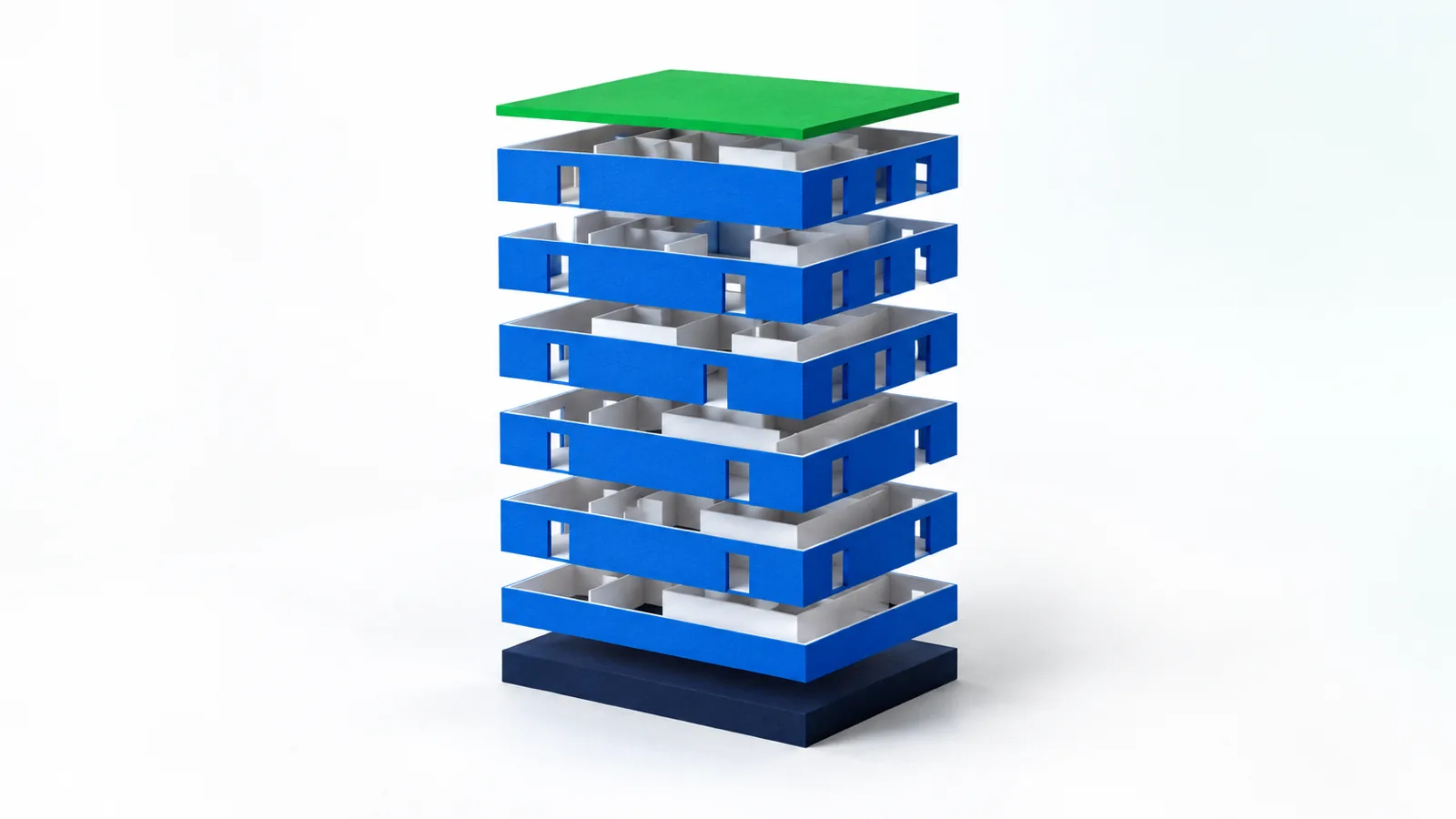
The seven layers of an AI agent for business
The model is only one layer out of seven. In its guide to building agents, OpenAI describes three core components: a model, tools and instructions. In a real business you need to add a few more layers around them, so the agent is safe for day-to-day work. Here is how it looks, from the bottom up.
1. The foundation: a separate server and isolation
The agent needs a place to run all the time, even when your computer is off. We prefer a separate cloud server for each business, so your information, connections and settings don't sit next to those of another business.
What to ask: Where will the agent run, and does it share a server or an account with other businesses?
2. The plumbing: connections and permissions
This is the layer that turns a chat into an agent. According to OpenAI's documentation, the model doesn't run tools by itself: it requests that a tool be run, and the system around it performs the action. In other words, what the agent can do is set in the plumbing, not in the model's "good intentions."
That's why every connection needs a dedicated user and minimum permission. An agent that uploads blog posts doesn't need admin permission on the whole site.
What to ask: What user will the agent use to enter each system, and what exactly will it be able to do there?
3. The brain: model and instructions
The model is the thinking engine. The instructions are the job description: what the agent does, how it speaks, and when it stops to ask. The same model with vague instructions will give vague results.
What to ask: Who writes the instructions, and how are they updated when something doesn't work?
4. The memory: the knowledge of the business
A generic agent knows how to write. An agent of your business knows how to write like you: the tone, the products, the audience, the questions that keep coming back and the things never to say. This knowledge should sit in files that can be read, corrected and exported.
What to ask: Where is the knowledge about the business stored, and if we stop working together, does it stay with me?
5. The door: Telegram
This is where you come in. You write to the agent like to an employee, send a photo or a file, and get a result or a question. In Telegram it's easy to set the agent to take instructions only from you, or from whoever you define.
What to ask: Who exactly can give the agent instructions, and what happens if a stranger tries?
6. The roof: what needs approval
You define three levels in advance: what the agent does on its own, what waits for your approval, and what it never touches. OpenAI's documentation also recommends stopping sensitive or unclear actions for explicit human approval before the tool runs.
The rule has to sit in the infrastructure, not only in the prompts. "Please don't publish without approval" is a request. A system that doesn't allow publishing without approval is a roof.
What to ask: Is approval enforced in the infrastructure, or is it only written in the instructions to the model?
7. The log: records and a way back
Every significant action is recorded: what was done, when, in which system and with whose approval. Together with a backup before a significant change, the log answers the question "what happened here?" and makes it possible to go back.
What to ask: If something changes on the site, how will I know who did it and how do we roll it back?
| Layer | Its role | What happens when you skip it |
|---|---|---|
| Foundation | A fixed, isolated place to run | The agent goes down when the computer shuts off, or sits next to other people's data |
| Plumbing | Connection to systems with defined permission | An agent that only talks, or an agent with admin access to everything |
| Brain | Thinking and a job description | Generic answers and inconsistent decisions |
| Memory | Knowledge of the business | Texts that don't sound like you |
| Door | The channel for instructions | Instructions from every direction, or an agent that's hard to talk to |
| Roof | What needs approval | Publishing or spending without your knowing |
| Log | Records and backup | No way to know what happened and no way back |
How to build an AI agent: step by step
You build an agent the way you onboard a new employee: a defined role, limited access, an overlap period, and only then more responsibility. These eight steps fit whether you build alone or someone builds with you. Each step has a clear end, so you don't discover after a month that you're still "in the middle of setup."
- Define 2–3 tasks. Each task in one sentence: what comes in, what the agent does, and what comes out. "When I send photos and a price, a product goes up as a draft," not "manage the store." End of step: a short document with the tasks, the systems and what counts as success.
- Choose a model. In its guide, OpenAI recommends starting with the strongest model to set a bar, and then checking whether a smaller, cheaper model still meets it. End of step: a model tested on your real examples, not only on benchmarks.
- Connect systems with minimum permission. A dedicated user in each system, with only the access the task needs. A unique key is better than a shared password, and before a change to the site there must be a backup and a way back. End of step: every connection has passed a read operation and one small action.
- Write instructions and organize knowledge. OpenAI recommends building the instructions from documents that already exist in the business, and writing in advance what to do in edge cases. In a small business that's usually examples of work you liked, a tone, a price list and a "don't" list. End of step: a sample task that looks like something you would have done.
- Set approval rules. Publishing, budget, a message in the business's name and a significant change to the site wait for your approval. Irreversible deletion and payment details are out of bounds. End of step: the rules are enforced in the infrastructure, and you've checked that an action requiring approval really stops.
- Test on real tasks. Not on a demo. Take tasks from recent weeks and compare the output to what was actually done. According to OpenAI's guide, human involvement is especially important at the start, because that's where the edge cases surface. End of step: most outputs pass your review with no corrections.
- Turn on the log and monitoring. Every significant action is recorded, and someone looks at the log and the errors. When something repeats, you fix the instruction or the permission, not just the output. End of step: you can answer "what did the agent do this week?" without asking it.
- Expand one task at a time. OpenAI also recommends a gradual approach: one agent that slowly gets more tools, before rushing to split into several agents. End of step: a new task goes in only when the previous one is stable.
An example: the eight steps in one business
What does it look like to go through all the steps on a single task? Click through the steps and see. This is an illustration of a small online ceramics store, not a record of a real business.
Steps 1–2 · Define the task and choose a model
Every time a shipment arrives, I waste an evening uploading products. That's what I want to hand off.
The task in one sentence: when you send photos and a price list, every item goes up as a draft product, with a description, price and category.
Success: the price matches the price list, the description is in the store's tone, and zero products get published without approval.
✓ Task defined · ✓ Two models tested on the same 10 examples
Step 3 · Connections and permissions
A dedicated user was created on the site for the agent, with access to products only. It has no access to plugins, users or settings. Before starting, we checked that a current backup exists.
✓ Read an existing product · ✓ Created one draft · ✗ No access to settings
Steps 4–5 · Instructions and approval rules
I'm attaching five descriptions I like. And no "luxurious," that's not us.
Added to the instructions. And the rules: the agent creates drafts on its own. Publishing and price changes wait for your approval. Deleting a product is blocked.
On its own: drafts · With approval: publishing and price · Blocked: deletion
Step 6 · Testing on real tasks
We ran last week's shipment: 12 items. 10 passed with no corrections. On two, the agent rounded a price, because the price list was handwritten.
The fix went into the instructions: an unclear price is not rounded, it's flagged and you're asked.
! 2 corrections · ✓ Instructions updated · ✓ Re-run passed
Steps 7–8 · The log, and only then expansion
In the log: 6 drafts created, 4 published with your approval, 2 waiting for a price check. After a few stable weeks we add a second task: an Instagram post for every new product, also with approval.
✓ Task 1 stable · ← Task 2 comes in
An illustration. The business, numbers and conversations in the example are made up.
What to prepare before building an AI agent for your business
A lot of the time spent building an agent goes to things unrelated to technology. Finding out who holds the password to the ads account, working out what counts as a "good post," or discovering there's no backup of the site. Mark what you already have.
Checklist: preparing to build an agent
Didn't check everything? That's fine. Some items get closed in the first step anyway. But without the first three, there's nothing to build yet.
What infrastructure suits long-running agent work in 2026?
There is no single "most cost-effective" infrastructure. What pays off depends on three things: how long each task runs, which systems the agent touches, and how much control you need over permissions and data.
A task that lasts hours, such as going through every page of the site or preparing dozens of products, needs more than a good model. It needs a place where the work is saved, a way to recover from a failure midway, and the ability to stop for your approval without losing what's been done. Anyone looking for the most cost-effective infrastructure for long agent workflows is really choosing between three paths.
A managed agent platform. OpenAI's Agents API opened in public beta on September 10, 2026. According to the documentation, OpenAI manages the sessions, the coordination, the context compaction and the recovery from failures, and the developer supplies the tools and chooses where the agent works: with no environment, in an environment hosted by OpenAI, or in their own. On September 29, computer use was added, an agent that works in a browser hosted by OpenAI. The browser asks for approval before entering any new site, and according to the documentation it currently requires GPT-6 Astra.
Your own agent on a dedicated cloud server. The agent runs on a server allocated to one business, and calls the model through the API. You, or whoever builds with you, set the users in each system, the approval rules, the log and the backups. The cost is that someone has to maintain all of that.
An off-the-shelf consumer agent. OpenAI's dots run inside ChatGPT, and according to MacRumors they are rolling out gradually to Pro, Business Premium and Enterprise subscribers in selected markets. Meta's Muse runs on a dedicated virtual computer in the cloud, and according to Meta it is currently available only in the US and Canada. We covered them in the guide to dots and the guide to Muse.
| Option | Managed platform (Agents API) | Dedicated cloud server | Off-the-shelf agent (dots, Muse) |
|---|---|---|---|
| Cost model | Pay per use: model, tools and environment run time | A fixed monthly server, model by usage, and maintenance | A subscription or free use with limits |
| Control | High in code, within the limits of a beta API | Full: users, permissions, approvals and log | Within the rules the product offers |
| Data | Per the documentation, currently US-only storage and no Zero Data Retention | On your server. Calls to the model go to the provider | In the account with the provider |
| Maintenance | With the developer: code that may change during the beta | With whoever manages the server | Almost none |
| Fits when... | You have a developer, and tasks run for hours in an isolated environment | The agent touches the site, advertising and the business's systems | The tasks are personal and the apps are supported |
Source: OpenAI's developer pricing page and model page, checked on October 6, 2026. Model prices apply to requests of up to 272 thousand input tokens, and are higher beyond that.
What makes long work expensive? Mainly the context. A task that drags a long history behind it processes that history again and again, and beyond 272 thousand input tokens the price per token rises too. In a hosted environment, run time is added on top. So, on any infrastructure, it's worth breaking long work into stages with save points, and testing the task on Sol before moving to Astra.
Managed platform
Someone else holds the engine
- Sessions that save work between turns
- Built-in recovery from failures
- Pay per use, no fixed server
- In beta, with US data storage
- Needs a developer who writes and maintains code
Dedicated cloud server
Your house, with your keys
- Full isolation from other businesses
- A dedicated user and minimum permission in each system
- Approvals enforced in the infrastructure
- A log and backups that stay with you
- Needs someone responsible for maintenance
Our opinion: for a small business whose agent touches a WordPress site, Google Ads and Meta, a dedicated server per business is today the safer choice. The Agents API is very interesting, and it even offers an option for an environment in your own infrastructure, but according to the documentation even that doesn't make the service eligible for Zero Data Retention. We're following it and evaluating it. And if your tasks are personal, such as email, calendar and documents, an off-the-shelf agent may well be enough.
And what about tools like n8n? They've done good work in the world of fixed sequences. But a long task is full of small decisions, and one agent with the right permissions replaces dozens of nodes you'd have to maintain. We expand on this in the comparison of n8n and an AI agent.
What's on you, and what's on whoever builds
You don't need to know how to code, but you do need to be there, especially at the start. Building an AI agent for a business is joint work.
You bring
The knowledge and the decisions
- The tasks and the definition of "good"
- Access to the systems, or whoever can grant it
- Examples, tone and boundaries
- Approvals and feedback during the trial period
- The decision on what to expand and when
Whoever builds brings
The infrastructure and the responsibility
- A separate, secure server
- Connections with minimum permission
- Instructions, memory and approval rules
- Backup, a log and a way back
- Fixes when a system changes or something breaks
Red flags in a proposal to build an AI agent
A single "no" is not a reason to walk away, but it is a reason to ask. Got a proposal? Go through it with these questions.
And there are three things we would not agree to, even if they sound convenient:
- "One agent that manages the whole business from day one." A good agent is built task by task. Whoever starts with everything doesn't know what exactly isn't working.
- "Give it admin access, it's simpler." It's simple, until the first mistake. Minimum permission is the difference between a small mistake and a big problem.
- "We build it and we're done." Websites, plugins and Google and Meta interfaces change. An agent with nobody responsible for it will start to wear down, like any house without maintenance.
Build it yourself, with support, or not the time yet?
Not every business needs someone to build it an agent, and not every business needs an agent at all. This is how we look at it:
Which path suits you
You can try it yourself
- You're comfortable with technical tools
- One task, an internal one
- Nothing gets published externally
- You have time to maintain it
Better to have someone build it with you
- Several connected systems
- Advertising, budget or public content
- A site that brings in money
- You have no time to deal with infrastructure
Maybe not an agent yet
- There isn't enough repetitive work
- There's no one to approve
- The tasks are personal and an off-the-shelf agent is enough
- There are no systems to connect
If most of your signs fell in the red column, it's probably still early. If your site is built on WordPress, we wrote separately about WordPress site management with an AI agent.
How much does it cost to build an AI agent?
The price follows directly from the layers and the infrastructure. There are usually three components: a one-time setup, external services such as the model and the server, and ongoing support. We detail this in the guide to what an AI agent costs.
When you compare proposals, remember: an unusually cheap proposal usually doesn't build the same house for less. More often it simply builds fewer floors. Compare layer against layer, not just bottom line against bottom line.
Frequently asked questions
What is building an AI agent?
Building an AI agent is setting up a system in which a language model is connected to the business's tools and acts in them according to instructions, permissions and approval rules. It includes the infrastructure the agent runs on, connections to systems such as the website and ad accounts, organized knowledge about the business, a conversation channel with the business owner, and a record of every significant action.
How do you build an AI agent?
You define 2–3 repeat tasks and what counts as success, choose a model by testing on real examples, and connect the systems with a dedicated user and minimum permission. Then you write instructions and business knowledge, set what needs approval, test on tasks from recent weeks, turn on a log, and only then expand, one task at a time.
How long does it take to build an AI agent for a business?
It depends on the scope: how many tasks, how many systems, and how organized access to them is. It's usually a matter of weeks, including a trial period. Anyone who promises an agent that runs the whole business within a day is probably skipping some of the layers.
What is the most cost-effective infrastructure for long-running agent work?
There is no single answer. A managed platform such as OpenAI's Agents API, which is in beta, charges by use and manages sessions and recovery for you. A dedicated cloud server costs a fixed amount and gives full control over permissions and data. An off-the-shelf agent such as dots or Muse needs almost no maintenance, but works only with what the product supports. In each of them, watch the amount of context the model processes, because that's what makes long tasks expensive.
What happens to the business's data when you build an agent?
It depends on the provider whose model the agent uses, so check each provider's terms. For example, according to OpenAI's documentation, data sent through its API is not used to train or improve its models unless you explicitly opt in to share it, and business and API terms at other major providers are generally similar. In OpenAI's Agents API, according to the same documentation, application state is kept until you delete it. Ask whoever builds where the business knowledge is stored, who can access it, and whether you can get it.
Which models and tools does Platin Digital build agents with?
Platin Digital is an OpenAI Select Partner. We build business agents with whichever models and tools fit each business best, from OpenAI, Anthropic, Google and others. Each runs on a separate cloud server for each business, with a dedicated user and minimum permission in each system, and approval rules defined in advance.
Sources
- https://cdn.openai.com/business-guides-and-resources/a-practical-guide-to-building-agents.pdf
- https://developers.openai.com/api/docs/guides/function-calling
- https://developers.openai.com/api/docs/guides/agents/guardrails-approvals
- https://developers.openai.com/api/docs/guides/your-data
- https://developers.openai.com/api/docs/guides/agents-api/overview
- https://developers.openai.com/api/docs/guides/agents-api/sessions
- https://developers.openai.com/api/docs/guides/agents-api/environments/self-hosted
- https://developers.openai.com/api/docs/guides/agents-api/tools/computer-use
- https://developers.openai.com/api/docs/changelog
- https://developers.openai.com/api/docs/pricing
- https://developers.openai.com/api/docs/models/gpt-6.1-sol
- https://www.macrumors.com/2026/09/29/openai-launches-dots/
- https://about.fb.com/news/2026/09/introducing-muse-personal-ai-agent/
- https://about.fb.com/news/2026/09/introducing-muse-small-business/