Sunday, 9:14 AM
Three things land on your desk within ten minutes. A new lead from the website form, which has to be copied into a spreadsheet and sent a "got it, we'll get back to you." A long email from a customer, half complaint and half question, which has to be understood before you can answer. And a request from your partner: "Check why store sales dropped this week and tell me what to do."
Three tasks. One takes a minute, the second takes ten, and the third will probably slide to the end of the week.
All of them are "tasks you could automate." But not with the same kind of automation.
When people talk about business automation, most imagine one tool that does everything. In practice there are three very different approaches. In this guide we explain each one, give you a simple test that shows where workflows break, and explain why we think the direction for a small business is clear: one agent that takes tasks in plain language, instead of a pile of diagrams that someone has to maintain.
In short
- Business automation comes in three steps: fixed rules ("when X happens, do Y"), rules with an AI step in the middle, and an AI agent that receives a goal and decides for itself how to reach it.
- The simple test: describe a task out loud and count how many times you say "it depends." Every "it depends" is another branch in a workflow, and another place where it can break.
- A workflow works as long as nothing changes. In a real business the form changes, the customer writes differently and the systems update, and someone has to maintain the diagram.
- In a small business, one AI agent with clear boundaries replaces a pile of separate workflows, and you manage it by message.
Train or taxi: the three steps of business automation
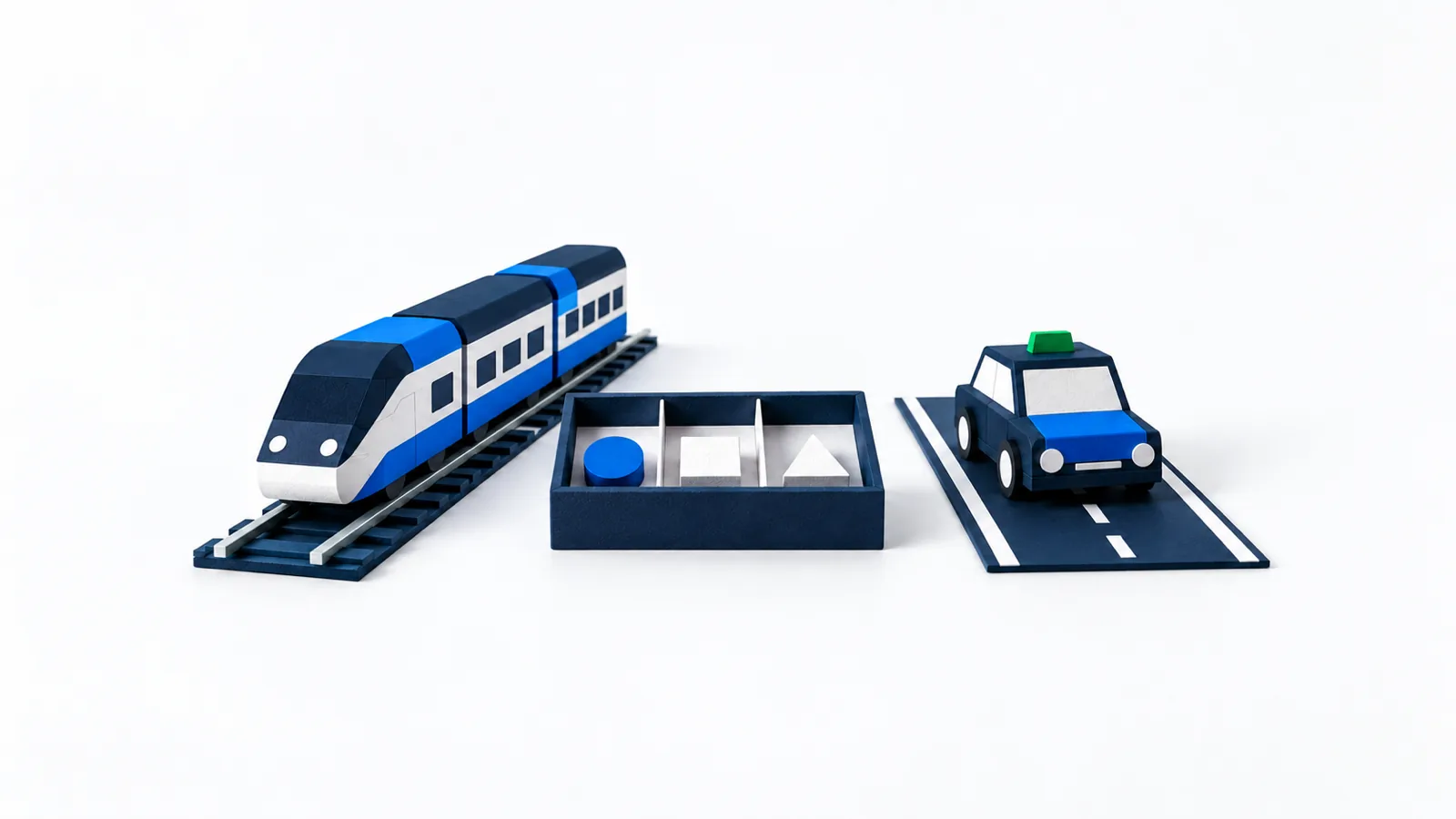
The simplest way to see the difference is to think about transportation.
Rule-based automation is a train. It runs on exactly the same track, through the same stations, every time. It's fast, cheap per trip, and dependable. But if it needs to deviate from the track by even a yard, it simply stops.
Automation with an AI step is the same train, with a triage desk in the middle. The track is still fixed, but at one station sits someone who reads the letter, understands what it says, and decides which car it goes in. From there the train continues on its fixed route.
An AI agent is a taxi. You tell it where, and it picks the route. If there's a traffic jam, it goes around. If the address is unclear, it calls to ask. It's far more flexible, but every ride is slightly different from the last, so you need to set boundaries for it and check its work.
The "it depends" test: where a workflow starts to break
This is the most useful tool in this article, and it requires no technical knowledge. Take a task and describe it out loud, step by step, as if you were explaining it to a new employee. Then listen for how many times you say "it depends." Every "it depends" is a branch that someone has to build into the diagram, and fix when it breaks.
- "When a lead comes in from the form, add it to the spreadsheet and send a confirmation email." There isn't a single "it depends" here. This is step 1.
- "When an email arrives in the service inbox, figure out whether it's a complaint, a question about a shipment or a quote request, and pass it to the right person." There is one "it depends," at one point: what type of inquiry it is. Everything else is fixed. This is step 2.
- "Check why sales dropped and suggest what to do." It depends on what's in the data, it depends on whether it's a campaign, inventory, pricing or a site fault, it depends on what you find at each stage. "It depends" at every step. This is step 3, and a simple workflow can't do it.
And the important point: in a real business, most tasks don't stay at step 1. Even the lead from the form starts to need an "it depends" the day a duplicate lead arrives, or a lead with no phone number, or a lead who is already a customer. An agent handles that without a new branch.
The three steps, side by side
Step 1 · Rules
- The input always has the same structure
- The steps are identical every time
- Mistakes are easy to spot and fix
- Example tools: Zapier, Make, n8n
Step 2 · Rules + AI
- The input is free text, an email or a document
- Something has to be understood, sorted, summarized or drafted
- What follows the AI step is fixed
- The same tools, with a language-model step
Step 3 · Agent
- You give a goal, not a list of steps
- The route changes with what turns up
- Works across several systems as needed
- Needs boundaries, permissions and approvals
Step 1: fixed rules, the grunt work nobody misses
This is classic automation, and still the most common. In Zapier, for example, it's called a Zap, and according to the company's help center, every Zap consists of a trigger, the event that starts it, and one or more actions that run as a result. In Make and n8n the terms are slightly different, but the principle is the same: when X happens, do Y.
What does this give a small business? All the tasks where you're essentially copying information from one place to another:
- A lead from the form goes into a spreadsheet or CRM and gets a confirmation email.
- A new order in the store sends a message to the team and updates an inventory sheet.
- An invoice that hasn't been paid after a week triggers a reminder.
- A meeting booked in the calendar sends the customer a message with the address and directions.
Step 2: AI automations, when the middle of the track needs to read and understand
This is where the fastest-rising search in the category comes in: "AI automations." The idea is simple. You keep the fixed track, and at one point you add a step where a language model does something a rule can't: reads free text and understands it.
The tools themselves are moving in this direction too. Zapier describes on its page building processes that combine AI steps with fixed steps, and Make presents connecting language models directly into processes, for tasks like classification, summarization and content generation.
Where this works well:
- Sorting inquiries. An email comes in, the AI decides whether it's a complaint, a question or an order, and the rule routes it to the right inbox.
- Extracting details. From a free-form email or a PDF, the AI pulls out a name, phone number and date, and the rule puts them in a spreadsheet.
- First draft. A new Google review gets a draft reply that waits for your approval.
- Summary. A long form is summarized into three lines before it reaches your phone.
The important thing to remember: the AI step is the only place where the result isn't 100 percent predictable. So it's worth building the process so that what comes out is checked, or so that a mistake does little damage. A misfiled internal email is an inconvenience. A wrong answer sent to a customer without your seeing it is a problem.
Step 3: an AI agent, when the task won't follow a script
Some tasks can't be drawn as a flowchart, because the route depends on what you discover along the way. "Upload the products from the shipment to the store" sounds simple, until you find that two photos have no price, that one of the products already exists in another color, and that the right category hasn't been created yet.
This is where an AI agent comes in. Instead of a list of steps, it gets a goal, access to tools and guidelines, and chooses for itself what to do at each stage. In n8n's documentation, for example, the AI Agent node is described like this: you connect a language model and at least one tool to it, and the agent decides which tool to use to complete the task. We wrote about this at length in the guide AI agent for business: what it really does.
An agent's strength is its flexibility, and that is also its cost. The same task can be carried out slightly differently each time. So a good agent comes with three things: minimum permissions, a clear list of actions that wait for your approval (publishing, a message to a customer, anything that costs money), and a record of what was done.
Fixed rule
The train
- The same result on every run
- Low, predictable cost per run
- Easy to diagnose: you see which step failed
- Breaks when the input changes
- Every system change means fixing the diagram
AI agent
The taxi
- Handles situations nobody planned for
- Works from a message in free-form language
- Can ask when something is unclear
- Needs boundaries, approvals and checking
- Takes simple and complex tasks alike, by message
How likely is this task to break a workflow? A half-minute quiz
Pick one task that's weighing on you right now and answer for it. Every "yes" is another place where a fixed rule would get stuck.
Examples: automation for small businesses, workflow vs. agent
Here is how common small-business tasks look under the two approaches.
| Task | With a workflow | With an agent |
|---|---|---|
| Lead from the form to a spreadsheet plus a confirmation email | Works, until the form changes | Part of handling leads, including follow-up |
| Reminder for an open invoice | Works, but it's one more process to maintain | "Remind me about open invoices," by message |
| Sorting service emails by topic | Needs an AI step and a branch for each topic | Reads, sorts and prepares a draft reply |
| Extracting details from a PDF order | Breaks when the document looks different | Reads varied documents and asks when something is missing |
| Draft reply to a Google review | An AI step inside a diagram | Prepares a draft that waits for your approval |
| Uploading products from photos and a price list | Nearly impossible | Uploads as drafts and flags exceptions |
| "Why did sales drop this week?" | Not possible | Checks the data and suggests a direction |
| Fixing a site fault from a customer's description | Not possible | Investigates, fixes after a backup and reports |
The two common mistakes
The first mistake: building a workflow factory. You start with one simple Zap, then add a split for every exceptional case, then another split, then another condition. Then another workflow for the next task, and another. After half a year there are dozens of diagrams that nobody dares touch, and they still break every time something new happens. Every workflow is one more system that someone has to maintain, and most are forgotten until they break.
The second mistake: an agent with no boundaries. Moving to an agent doesn't mean letting it do everything on its own. An agent with no defined permissions, no list of actions that wait for approval and no record of its work is a risk. Its flexibility is an advantage only when it has boundaries.
And what about Zapier, Make and n8n?
Zapier, Make and n8n are the well-known tools for building workflows. All three started as rule builders, and all three now add AI and agent capabilities: Zapier presents AI steps inside processes, Make presents building agents on its canvas, and n8n added an AI Agent node. It's a clear sign of the direction the market is heading.
The difference is who does the work. With these tools, you, or someone on your behalf, build the diagram and maintain it. With a managed agent, you write what you need, and maintenance isn't another side project. We expand on the comparison in the article n8n or an AI agent, and on what goes into an agent in the guide building an AI agent for your business.
How to start with business automation without breaking anything
Four steps to your first automation
- ListFor one week, write down every task that repeats
- The "it depends" testMark where a workflow would break
- Just oneHand one task to an agent, with close checking
- Then expandOnly once it has worked for several weeks in a row
Which task goes first? Not necessarily the biggest one. It's the one that's safest to start with. Check what's true of the task you chose:
Is this a good task to start with?
If you checked five or six, you've found a good candidate. If you checked two or three, pick a different task to start with and come back to this one later.
Frequently asked questions
What is business automation?
Business automation is handing repetitive tasks from people to a system that carries them out on its own. It can be a fixed rule ("when a lead comes in, add it to the spreadsheet"), a fixed process with an artificial-intelligence step that reads and sorts text, or an AI agent that receives a goal and chooses for itself how to achieve it.
What is the difference between regular automation and AI automation?
Regular automation works by fixed rules and requires input in a fixed structure. AI automation adds a step where a language model understands free text, such as an email or a document, and decides what to do with it. The rest of the process can stay fixed.
Does a small business need an AI agent, or is Zapier enough?
For a small business, an AI agent is usually the simpler choice in the long run. Zapier and similar tools suit fixed rules, but each rule has to be built and maintained, and each exception needs another branch. An agent takes tasks in plain language, handles exceptions and works across several systems, and sensitive actions wait for your approval.
Can automation run without my knowing?
Only if you set it up that way. You can, and should, require that sensitive actions such as publishing content, messaging a customer, changing a budget or deleting wait for your approval. With an AI agent this matters most, because its route isn't fixed in advance.
What do you do when an automation breaks?
With a fixed rule, most tools show which step failed, and you fix it there. With an AI step or an agent, you check what it received and what it decided, which is why every action should be logged. In any case, it's worth having a way to roll back before you run an automation on anything important.